Send Google Maps leads to GoHighLevel
LeadWebia finds and qualifies local businesses; HighLevel works them. They connect through LeadWebia's signed webhook: straight into a HighLevel workflow, or through Zapier or Make when you send many leads at once.
Included in every paid plan · from $9 a month
What it does
- Every lead arrives with name, phone (also in E.164), address split into city, state and ZIP, website, emails, socials, rating and lead score.
- Sends are manual: select leads in the Dashboard and send them. There is no native HighLevel app.
- LeadWebia sends up to 100 leads per request in a "leads" list, or one lead per request with its "One lead per request" setting.
Option A: a HighLevel workflow with the Inbound Webhook trigger
Inbound Webhook is a HighLevel Workflow Premium feature: HighLevel charges $0.01 per premium execution after 100 free lifetime executions per sub-account, unless you have its Workflow Pro plan. Agencies turn premium features on in Settings → Company → "Workflow - Premium Features" and can rebill each sub-account. HighLevel's docs say the Create/Update Contact action needs an email or a phone, accept JSON only, and don't describe turning a list into several contacts, so this option uses LeadWebia's "One lead per request" setting: every lead arrives as its own request and becomes its own contact.
Create the trigger in HighLevel
Create a workflow and choose "Inbound Webhook" as its trigger. HighLevel generates a webhook URL for it: copy it.
Save it in LeadWebia
Open Integrations → Webhook, paste the URL, click "Save" and turn on "One lead per request". LeadWebia shows a signing secret once; HighLevel doesn't check it, but keep it in case you move to Zapier, Make or your own endpoint.
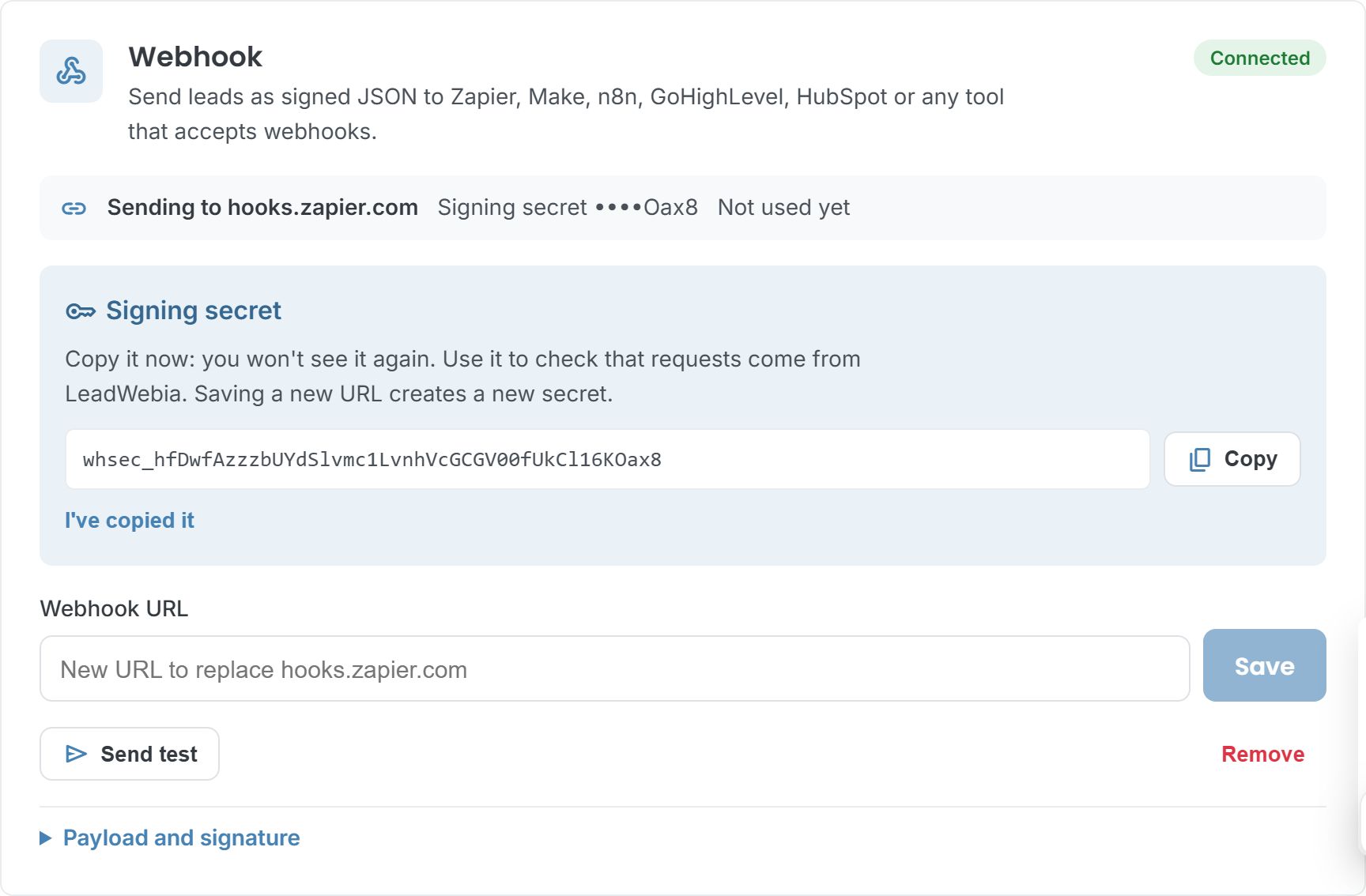
Send a test, map it, then send your leads
Click "Send test" on LeadWebia's Webhook card: it sends a sample lead shaped like the real ones. In HighLevel click "Test Trigger", pick that request as sample data and save the trigger, then map the fields in "Create/Update Contact": they are inside "lead" (for example lead.name, lead.phone and lead.email, the first email found). After that, send any number of leads from the Dashboard (Actions → Send to… → Webhook): each one runs the workflow once.
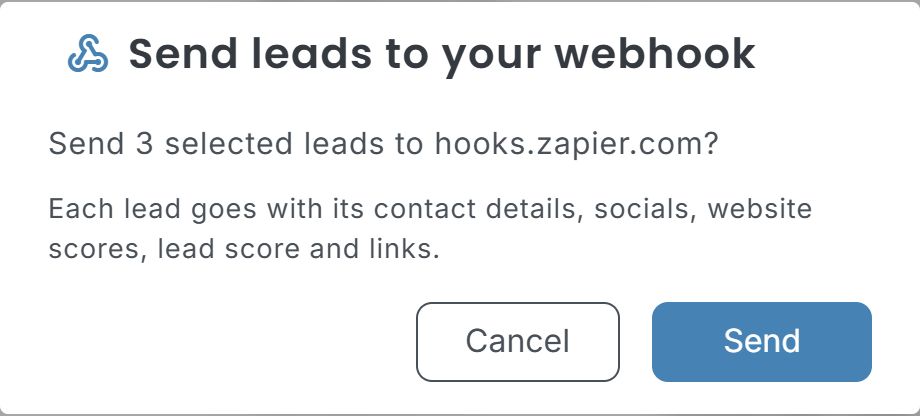
Option B: Zapier or Make in the middle
With batches of 100 (the default), both split the "leads" list into one contact per lead before HighLevel sees it.
Zapier
Trigger: Webhooks by Zapier → Catch Hook; copy its URL into LeadWebia → Integrations → Webhook and click "Send test". Then Looping by Zapier → Create Loop From Line Items over the leads, and LeadConnector (HighLevel's Zapier app) → Add/Update Contact. Webhooks by Zapier needs a paid Zapier plan, and Looping needs Professional or higher.
Make
Trigger: Webhooks → Custom webhook; copy its address into LeadWebia and click "Send test" so Make learns the data structure. Add an Iterator on the leads list, then GoHighLevel → Create a Contact.
The fields you can map
Every lead carries these fields: inside "lead" with "One lead per request" (plus "email", its first email), or in the "leads" list otherwise. The full payload is on the webhooks page.
| Data | Fields | What it is |
|---|---|---|
| Business | name, category | The name and the Google Maps category, e.g. "Roofing contractor". |
| Address | vicinity, city, state, postal_code | The full address, plus city, state and ZIP code in their own columns for US addresses. |
| Phone | phone, phone_e164 | As listed on Maps, and in E.164 format (+15125550134) for dialers and CRMs. |
| Website | website | The website on the listing; empty when the business has none. |
| Reputation | rating, user_ratings_total | Google rating and number of reviews. |
| Emails | emails | Found on the business's website and public pages. Maps listings don't include emails. |
| Social profiles | facebook, instagram, linkedin, twitter, tiktok, youtube | Links to the profiles the business publishes. |
| PageSpeed (mobile) | performance, accessibility, best_practices, seo | Google PageSpeed scores, 0–100, for businesses with their own site. |
| Tech | cms, ads | The CMS (WordPress, Wix, Squarespace…) and the ad pixels found on the site. |
| Lead score | score, score_label | 0–100 and hot / warm / cold, from no website, slow or broken site, no SSL, ads and an unclaimed profile. |
| Links and pipeline | google_maps_url, place_id, niche, status, saved_at | The Maps listing, Google's place ID, the niche it was found for, your status and when you saved it. |
Good to know
- No native HighLevel app: everything goes through the webhook.
- Webhook sends are manual (select leads, then send). Automatic sends when a task finishes exist for Google Sheets only.
- With "One lead per request", every lead is one HighLevel execution (see the premium pricing above); with batches of 100, use Option B.
- HighLevel, Zapier and Make prices and plans are theirs and can change; check them before you build.
Facts about other companies come from their own documentation, checked on October 13, 2026: HighLevel: Inbound Webhook trigger · HighLevel: using the Inbound Webhook premium trigger · HighLevel: premium workflow features and rebilling · Zapier: trigger Zaps from webhooks · Zapier: loop your Zap actions · Make: GoHighLevel app.
Frequently asked
Is LeadWebia a GoHighLevel prospecting tool?
It covers the prospecting side: it finds local businesses on Google Maps, checks their websites and finds their emails and social profiles. HighLevel then runs your follow-up. The two connect through LeadWebia's webhook.
Does it cost anything extra in HighLevel?
The Inbound Webhook trigger is a HighLevel premium feature: $0.01 per execution after 100 free lifetime executions per sub-account, unless you have HighLevel's Workflow Pro plan (HighLevel help center, checked October 13, 2026). Zapier and Make have their own plans.
Why does HighLevel get one contact when I send 50 leads?
By default LeadWebia sends up to 100 leads per request in a list, and a HighLevel workflow run maps one contact. Turn on "One lead per request" in Integrations → Webhook, or put Zapier (Looping) or Make (Iterator) in the middle to create a contact per lead.
Can new leads go to HighLevel automatically?
Not yet: webhook sends start from the Dashboard. Automatic sends after each run are available for Google Sheets.
Other integrations
- Google Sheets — Send local business leads from Google Maps to Google Sheets: phone, address, website, emails, PageSpeed and CMS. New or existing spreadsheet, duplicates skipped, auto-sync per task.
- Instantly — Add local business leads with emails to your Instantly campaigns: company, website, phone and custom variables (city, category, rating, lead score). Leads without an email are skipped.
- Webhooks — Send local business leads from LeadWebia to Zapier (Catch Hook), Make (Custom webhook), n8n or your own server as signed JSON. Payload, headers, retries and HMAC verification in Node and Python.
- Google Maps scraper — every field LeadWebia finds, filters and pricing.
Feed HighLevel with qualified local leads
Start with 50 free leads; the webhook is included in every paid plan.