White-label SEO reports for local businesses, under your agency's brand
Audit any local business's online presence and send it as a link or a PDF with your logo, your colours and a button that brings the client to you. No LeadWebia logo or name on the page.
Free plan: 3 reports · white-label link and PDF on Professional and Enterprise
What your client sees
A clean page with your header, the grade of each section, the Google Maps rank grid, the competitors and a contact band in your colour. The same page prints to a US Letter PDF.
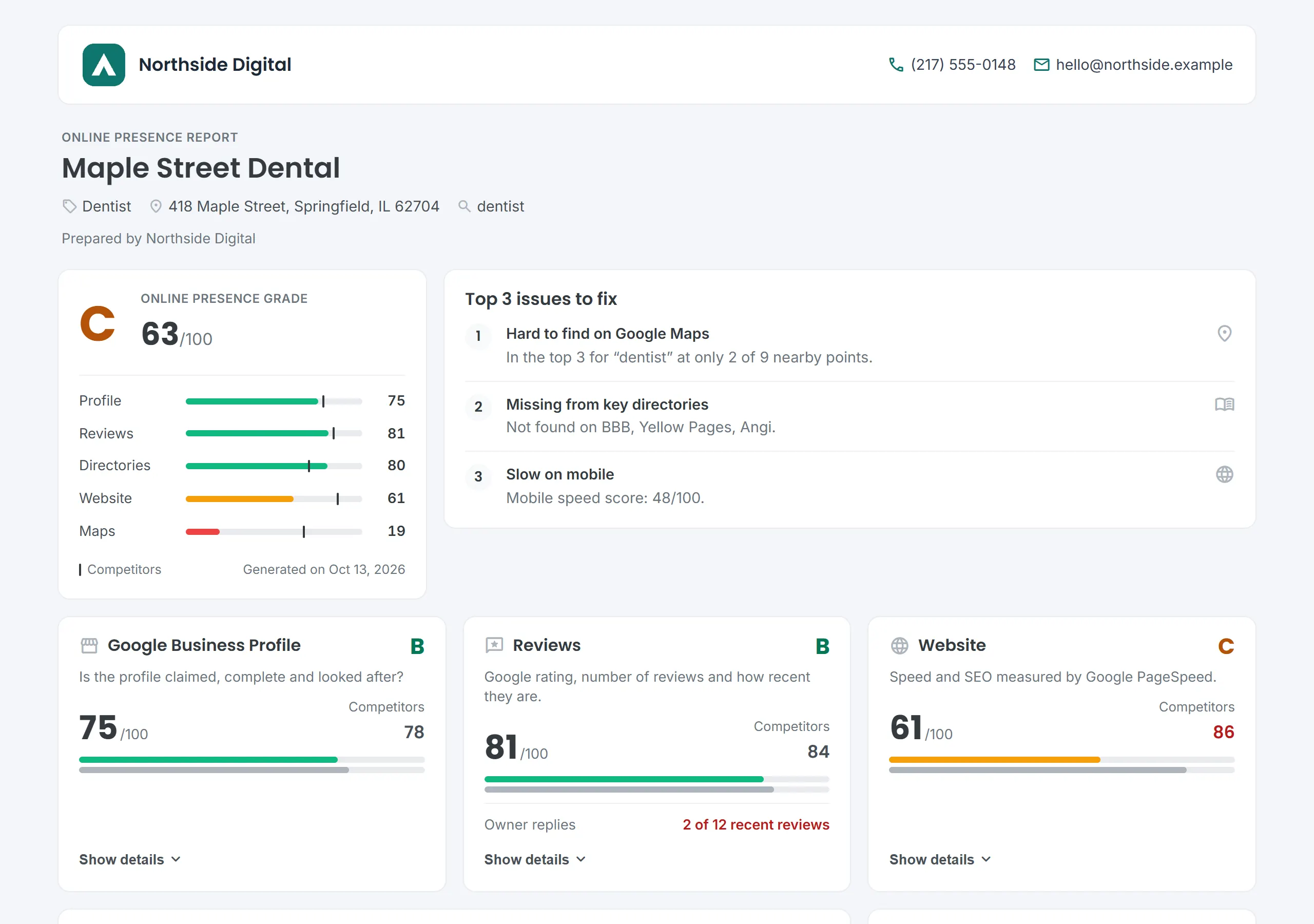
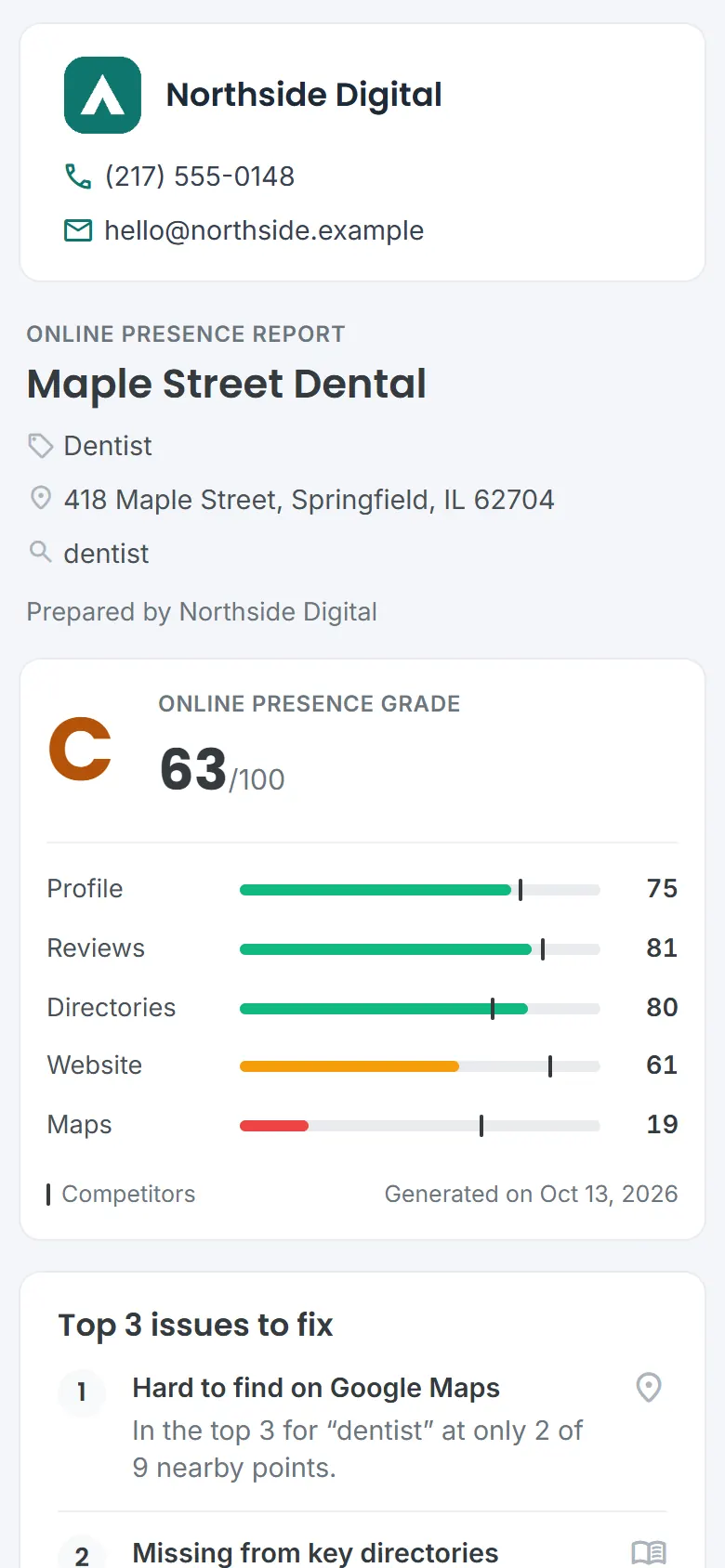
Example with a fictional agency (Northside Digital) and a fictional business (Maple Street Dental). Not real data.
What your agency gets
A branded link
One link per report, no login for the client. You see how many times it was opened, and you can revoke it at any time.
A PDF to attach
The same report as a US Letter PDF with your branding, ready for an email or a meeting.
Your logo and colours
Agency name, logo, brand colour, phone and email, set once in Settings and used on every report.
A call to action
"Want help fixing this?" with your own button text and link, so the report ends with a reason to call you.
What the report covers
Five sections, each graded 0-100 and compared with the businesses that rank around this one on Google Maps, plus the three issues that cost the most points.
- Google Business Profile: claimed, replies to reviews, website, phone, booking, hours, photos
- Reviews: rating weighted by volume, number of reviews, latest review
- Directories: Yelp, Facebook, BBB and more, and whether they show the phone
- Website: mobile and desktop speed, SEO and Core Web Vitals from Google PageSpeed
- Google Maps ranking: position for a keyword at 9 points around the business
Try it on any business with the free local SEO audit or the Google Maps rank checker.
How it works
- Find the business. Search an area for leads, or look up one business by name and city.
- Generate the report. It gathers Google data (Maps, Business Profile, Search and PageSpeed) and grades it in one to two minutes.
- Share it. Copy the branded link or download the PDF, in English or Spanish.
Which plans include it
Free
3 reports, read in LeadWebia
Starter
10 reports a month, read in LeadWebia
Professional
50 reports a month + white-label link and PDF
Enterprise
200 reports a month + white-label link and PDF
Frequently asked
What is a white-label SEO report?
A report about a business's search presence that an agency sends under its own brand: its logo, colours and contact details, with no mention of the software that produced it. Agencies use it to open a sales conversation or to show a client where they stand.
What does the LeadWebia report include?
An online presence audit of one local business: Google Business Profile, reviews, directory listings, website (Google PageSpeed) and Google Maps rankings at 9 points around the business. Each section is graded 0-100 and compared with the competitors around it, and the report lists the top issues to fix first.
Which plans include white-label reports?
The branded link and PDF are included in the Professional and Enterprise plans, which come with 50 and 200 reports a month. Free (3 reports) and Starter (10 reports a month) can generate the same reports and read them inside LeadWebia.
Will my client see LeadWebia anywhere?
The page and the PDF show only your agency: your logo, name, colours and contact button, with no LeadWebia logo, name or analytics. The link itself is a leadwebia.com/r/ address with a random code (custom domains are not available yet), so if you prefer no link at all, send the PDF.
Can I see if the client opened the report?
Yes. The share dialog shows how many times the link was opened and when it was last opened. Your own visits are not counted.
Can I turn a link off?
Yes. Revoking a link makes the page stop working at once. You can create a new link for the same report whenever you want. Shared pages carry a noindex tag, so search engines do not index them.
Which languages are available?
English and Spanish. The link opens in the language you choose when you share it, and the PDF is generated in the same language.
Related
- Free local SEO audit tool: Google Business Profile, reviews, directories and more
- Free Google Maps rank checker: rankings at 9 points around a business
- Website grader: PageSpeed score of any site
- Lead generation tool for web agencies
Send your next audit under your own brand
Start with the Free plan and 3 reports. Upgrade to Professional when you are ready to share them.