Add your Google Maps leads to Instantly campaigns
Paste an Instantly API key once, then add the leads you select to any campaign. Leads without an email are skipped and counted, so you know how many went in.
Included in every paid plan · from $9 a month
What it does
- Choose the campaign when you send, or save a default one.
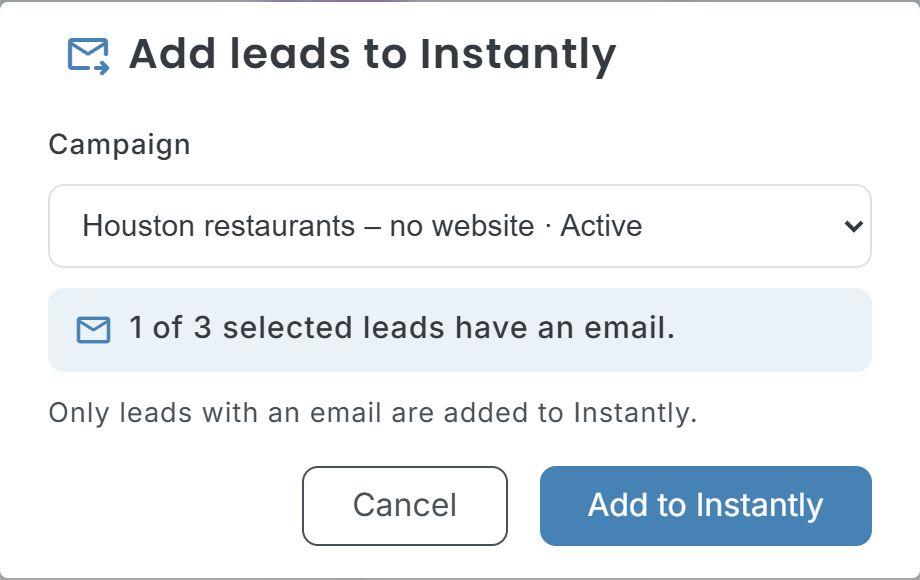
- Before sending, the dialog tells you how many of the selected leads have an email.
- City, state, category, rating, reviews and lead score go in as custom variables.
- Leads Instantly already has in that campaign (or has blocklisted) are reported as skipped.
Set it up
Create an API key in Instantly
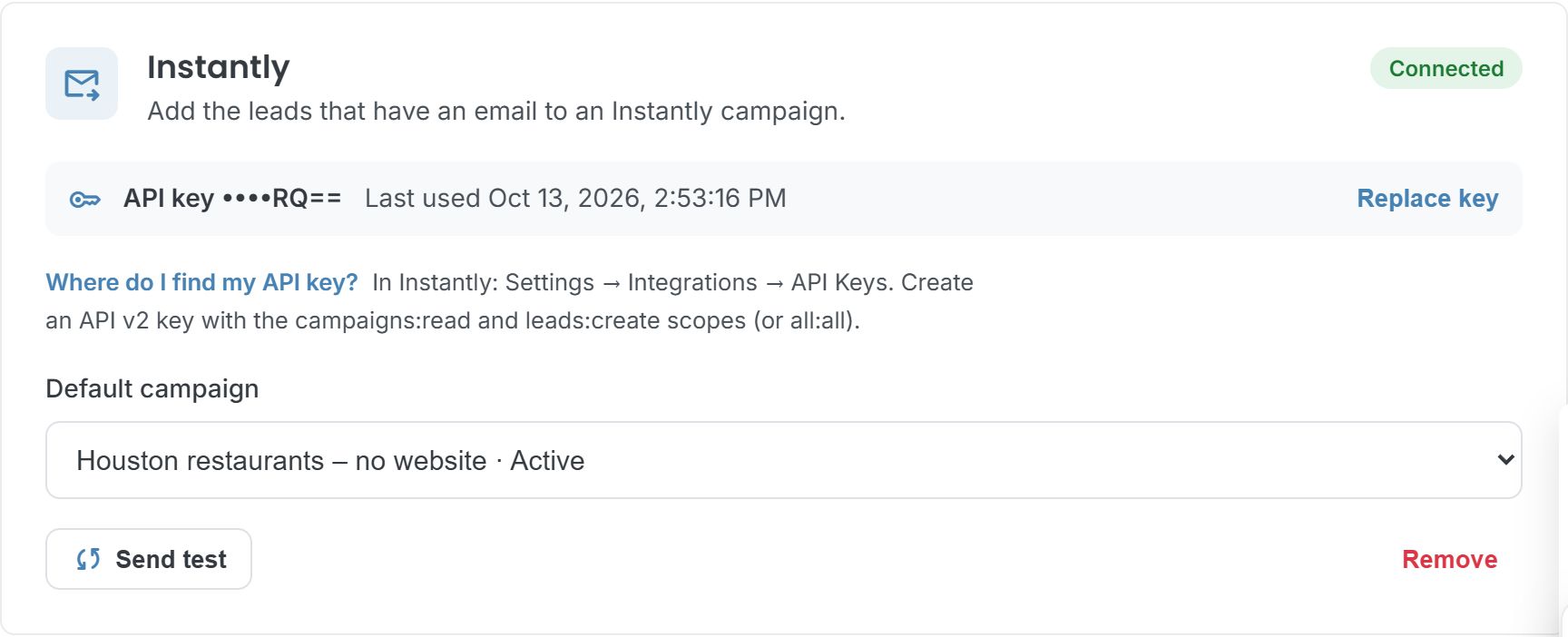
In Instantly, open Settings → Integrations → API Keys and create an API v2 key with the campaigns:read and leads:create scopes (or all:all).
Connect it in LeadWebia
Open Integrations, paste the key in the Instantly card and click "Connect". LeadWebia checks it with Instantly before saving it. Pick a default campaign if you like.
Send leads
In the Dashboard, select leads and open Actions → Send to… → Instantly. Choose the campaign and click "Add to Instantly".
What each lead brings to Instantly
Instantly needs an email per lead in a campaign; the rest fills its lead fields and custom variables.
| Data | Fields | What it is |
|---|---|---|
email | The first valid email of the lead. Leads without one are skipped and counted. | |
| Company | company_name, website | The business name and its website. |
| Phone | phone | In E.164 format (+15125550134) when it can be normalised, else as listed. |
| Custom variables | city, state, category, rating, reviews, lead_score | Where the business is, what it does and how it scored, ready for personalization. |
| Links | google_maps_url, landing_page_url, leadwebia_url | The Maps listing, the landing page you generated for it (if any) and the lead in LeadWebia. |
Good to know
- One email per lead: the first valid one. Leads without an email are skipped.
- Instantly decides what your workspace can do through its API; when it refuses (key, scope, plan, campaign), LeadWebia shows the reason.
- Your API key is stored encrypted and never shown again; the card only shows its last characters.
- Available on LeadWebia's paid plans.
Frequently asked
Which Instantly API key do I need?
An API v2 key with the campaigns:read scope (to list your campaigns) and leads:create (to add leads).
What happens to leads without an email?
They are skipped and counted in the result. Instantly campaigns need an email for every lead.
Will it add a lead twice?
Instantly doesn't re-add a lead that is already in that campaign; LeadWebia reports those as skipped.
Can I use the lead's city or rating in my emails?
Yes. City, state, category, rating, reviews and lead score are sent as custom variables, along with the Google Maps link.
Other integrations
- Google Sheets — Send local business leads from Google Maps to Google Sheets: phone, address, website, emails, PageSpeed and CMS. New or existing spreadsheet, duplicates skipped, auto-sync per task.
- GoHighLevel — Use LeadWebia as a GoHighLevel prospecting tool: find local businesses on Google Maps, qualify them and send them to HighLevel through an Inbound Webhook workflow, Zapier or Make.
- Webhooks — Send local business leads from LeadWebia to Zapier (Catch Hook), Make (Custom webhook), n8n or your own server as signed JSON. Payload, headers, retries and HMAC verification in Node and Python.
- Google Maps scraper — every field LeadWebia finds, filters and pricing.
Fill your Instantly campaigns with qualified local leads
Start with 50 free leads; the Instantly integration is included in every paid plan.